
Save Substantial Time & Cash
Use The KelKomParadigmTM
Experience the Time You Will Save -
Use the Same Time-Trial Method as KelKom Uses
to Prove
Competitors are Substantially Slower.
Just like a drag-strip race competition to compare speed, let’s create your most-used message using the KelKom BasicPage process.
THEN let’s compare to your CURRENT approach.
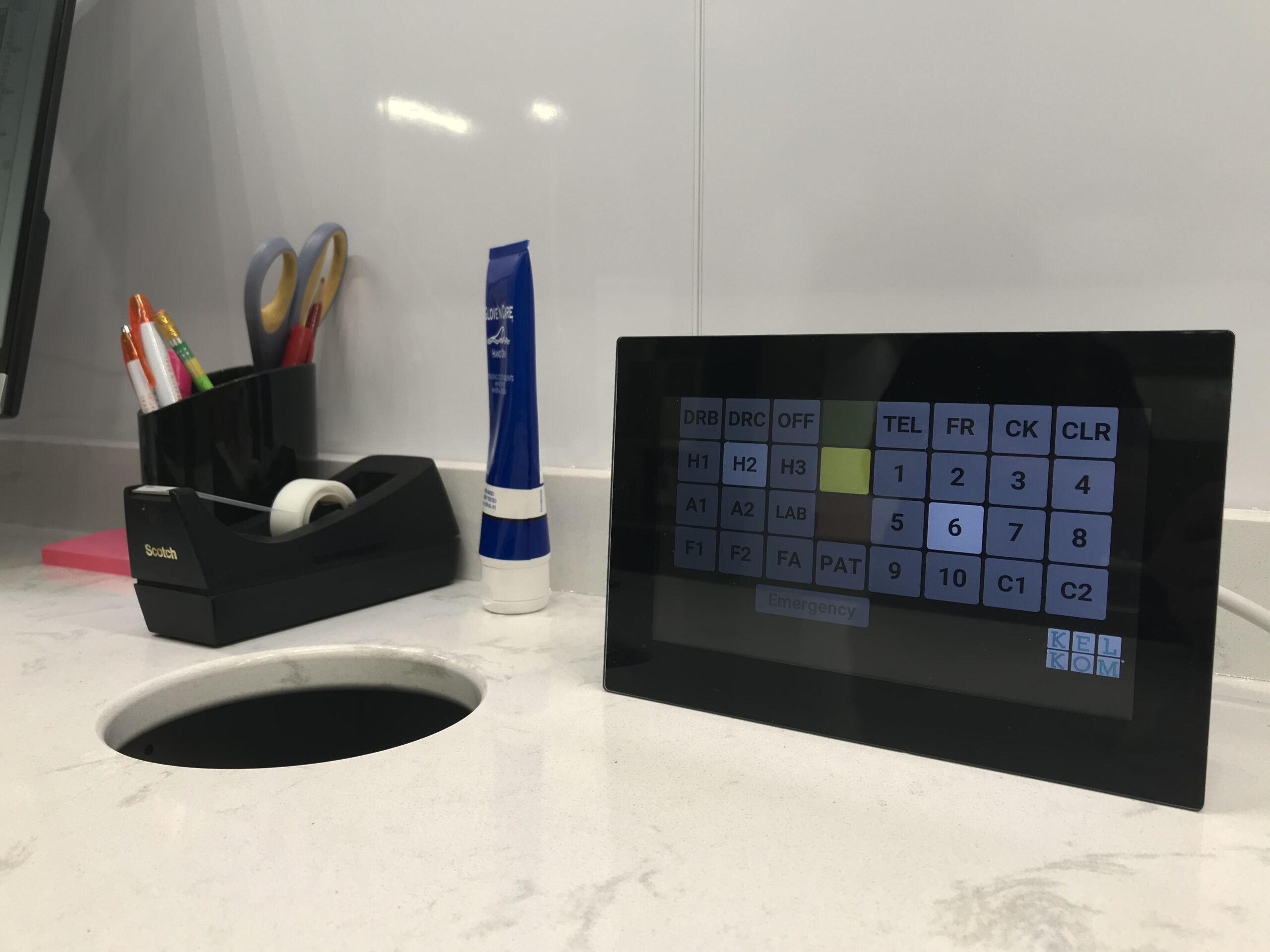
NOTE that all users enjoy a custom panel design to match their workflow communication preferences. This one on the right is in active use. It is also the smallest configuration we offer – 21-BUTTON BASIC DESIGN. We can add rows and columns to meet your communication needs.
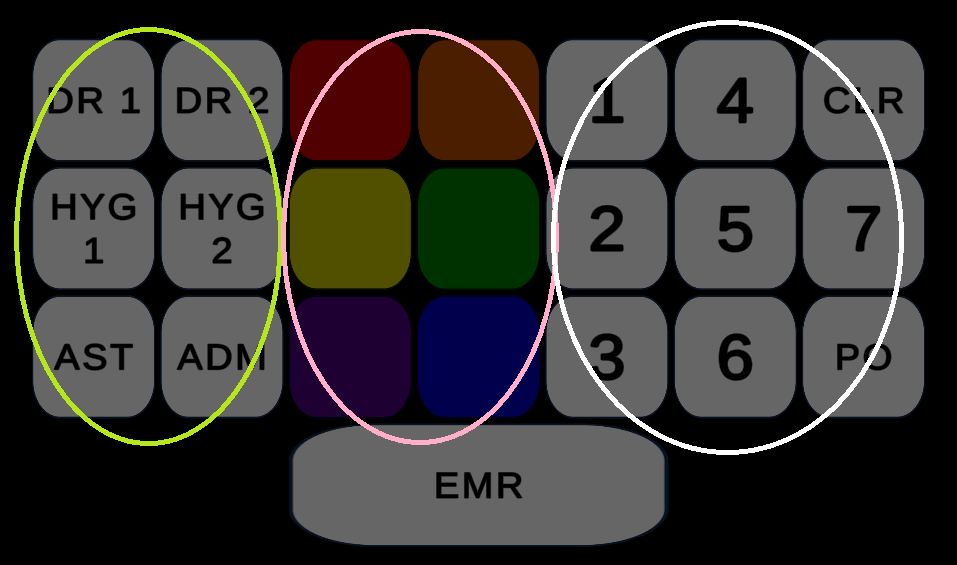
Visualize your message using the panel on the right – press a single button in each vertical button group denoted by a colored ellipse – WHO (personnel – light green ellipse), WHAT (color meanings decided previously by team – pink ellipse), and WHERE (destinations – white ellipse).
- WHO – the Person Required identified by a specific button press that plays the associated custom engineered chime.
- WHAT – the Workflow Need
- WHERE – the Room(s) Involved.
NO Hunt & Peck to waste time.
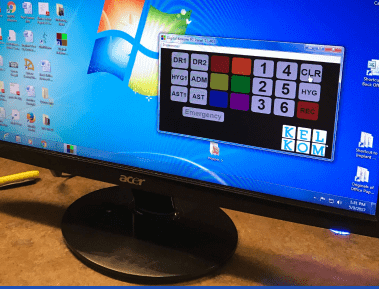
NO Messing with a keyboard and mouse. (We do have PC and macOS App versions available that only require the mouse.)
You will note each button press displays and chimes in real time across all screens in the system.
DON’T FORGET NOW, your analysis must measure the time you consume using your current approach to SEND that same message and RECEIVE and ACT ON the confirming response.
Actual In Office Use-Case example #1 using the image to the right – “Hygienist needs AST1 for Perio Map in Room #5.”
- WHO – Hygienist press AST1 (Meanwhile, across entire system, AST1 button lights “white ON” & AST1 chime rings ).
- WHAT – Hygienist press Violet defined as Patient Ready for Perio map. (Lights “violet ON” across entire system.)
- WHERE – Hygienist press #5 to finish. (#5 lights “white ON” across entire system.
That took 1 second to create and send the message across the entire practice.
That’s one click on a stopwatch.
For example using the image below – “Hygienist needs AST1 for Perio Map in Room #5.”
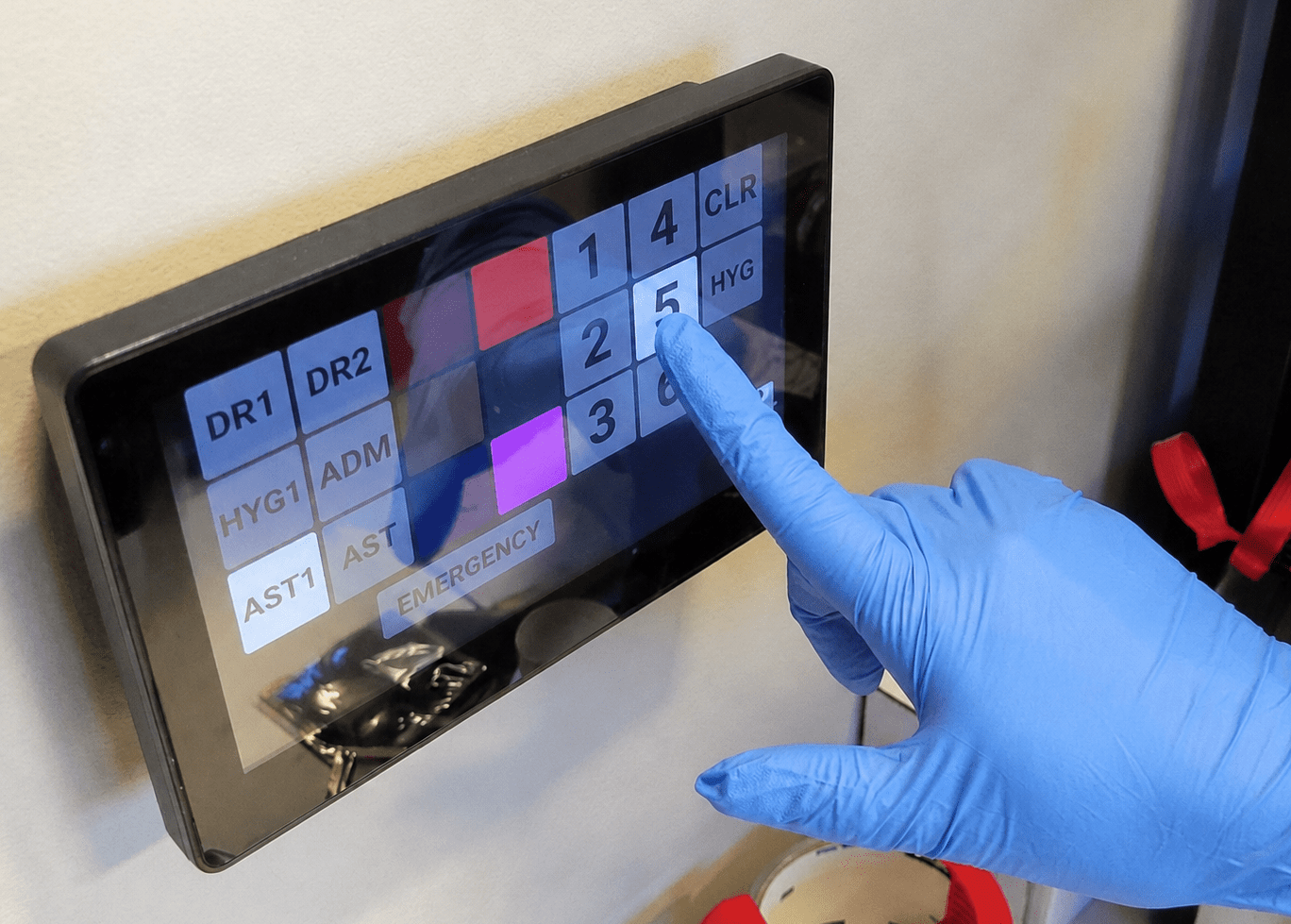
- WHO – Hygienist press AST1 (Meanwhile, across entire system, AST1 button lights “white ON” & AST1 chime rings ).
- WHAT – Hygienist press Violet defined as Patient Ready for Perio map. (Lights “violet ON” across entire system.)
- WHERE – Hygienist press #5 to finish. (#5 lights “white ON” across entire system.
That took 1 second to create and send the message across the entire practice.
That’s one click on a stopwatch.
Actual In Office Use-Case example #2 – “Hygiene Exam request in Room #5.”
Using the image to the right –
- WHO – Hygienist press DR2 (Meanwhile, across entire system, DR2 button lights “white ON” & DR2 chime rings.
- WHAT – Hygienist press Green for Patient Ready. (“green ON” lights across entire system.
- WHERE – Hygienist press #5 to finish. (#5 lights “white ON” across entire system.That took 1 second to create and send the message across the entire practice.That’s one click on a stopwatch.
Another example – “Hygiene Exam request in Room #5.”
Using the image below –
- WHO – Hygienist press DR2 (Meanwhile, across entire system, DR2 button lights “white ON” & DR2 chime rings.
- WHAT – Hygienist press Green for Patient Ready. (“green ON” lights across entire system.
- WHERE – Hygienist press #5 to finish. (#5 lights “white ON” across entire system.That took 1 second to create and send the message across the entire practice.That’s one click on a stopwatch.
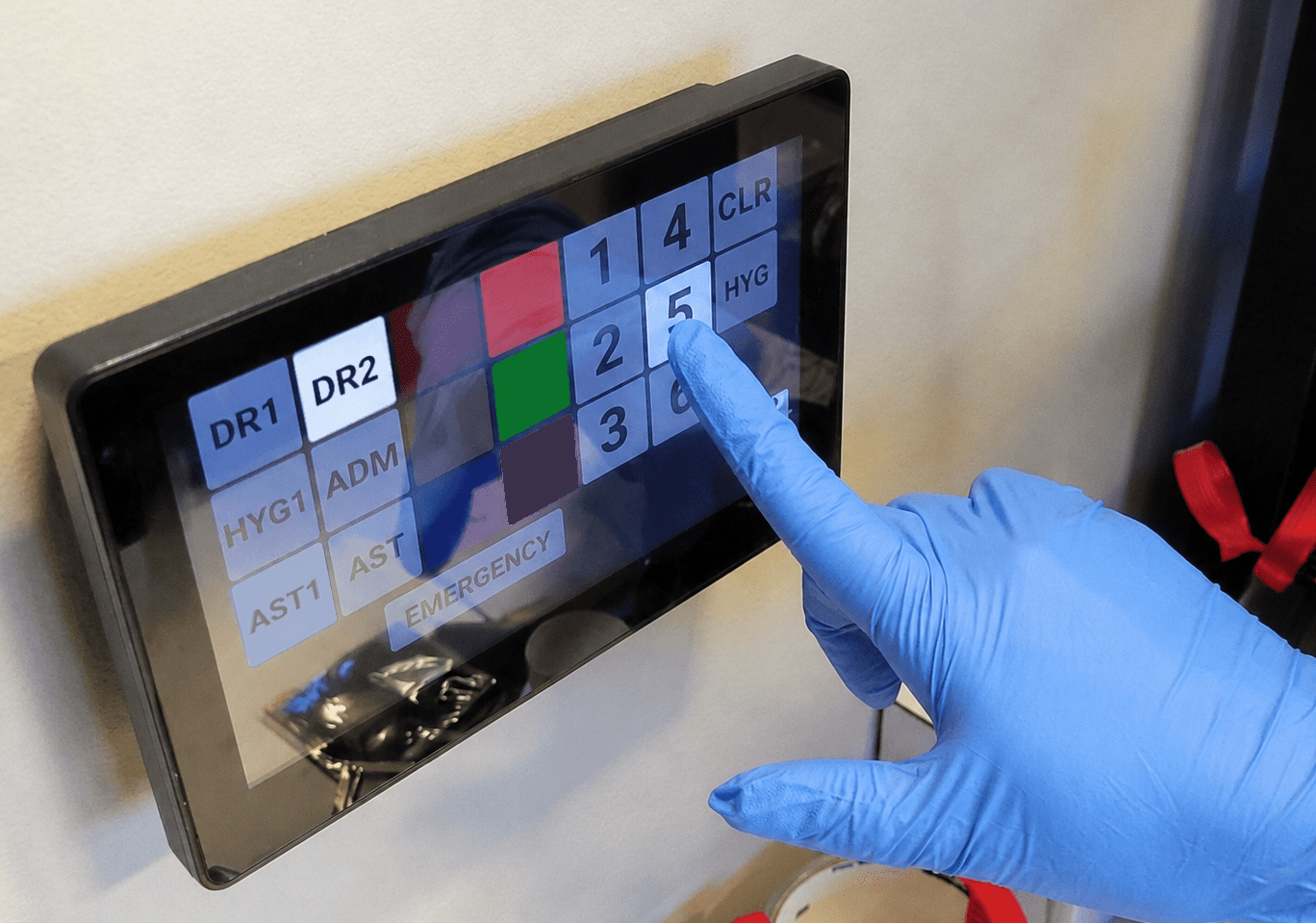
- WHO – Hygienist press DR2 (Meanwhile, across entire system, DR2 button lights “white ON” & DR2 chime rings.
- WHAT – Hygienist press Green for Patient Ready. (“green ON” lights across entire system.
- WHERE – Hygienist press #5 to finish. (#5 lights “white ON” across entire system.That took 1 second to create and send the message across the entire practice.That’s one click on a stopwatch.
NOW AS IMPORTANT – complete the 2-way communication.
- The AST1 and DR2 individuals hear their specific chimes, WHILE the rest of the office continues their work…
- Only these individuals glance at the closest display;
- And when ready, walk over and acknowledge the message by pressing CLR (clear).
- The Hygienist Sender now knows the message was received, AND
- The system is now ready for the next message.
That took 1.5 seconds to respond, AND the rest of the office was undisturbed.
How’s that compare to …
- Using your mouse?
- Reading a message?
- Talking on a headset?
- Especially using our ClassicKelKom!
These methods WASTE your time, and KILL your productivity because each uses the SLOW, FRONT part of your brain.
The KelKomParadigm delivers clear messages – FASTER! – using the FAST part of your brain.

Expand beyond KelKom’s Novice, BasicPage capabilities…
…To allow more time with each patient…
- Prioritize providers with their own room schedules, including room-turn sterilization.
- Manage up to 10 concurrent messages.
- Choose between automated or manual “reminder chimes” for unanswered messages.
- Toggle between “patient flows” mode and “message / required” mode.
- Keep track of whose patients are ready.
- Users can call for assistance either “when convenient” or “urgent.”
FlexPanel – KelKom’s Unified, All-Platform Solution
- KelKom FlexPanel™ delivers the KelKomParadigm™ experience wherever you want, using the devices you choose.
- Your individual device communicates with all the other KelKom apps on the office network — both wireless and wired.
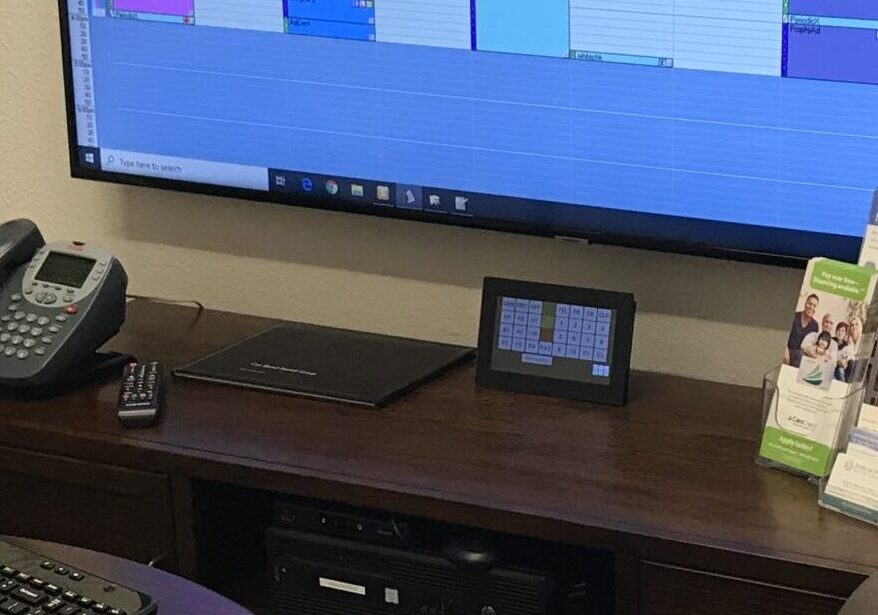
- You choose the system hardware configuration to best match how YOU manage your patient flows – Typically a mix of Tablets and Desktops.
- Users can change devices for just the cost of the new device without disturbing the software license.
- Customize your team experience with unique alert chimes for each staff member.
NOTE on Bottom-Right image: Many of our customers use stethoscopes – particularly DDS MD OMS, and our DVM & MD customers!